• If you would like to get your account Verified, read this thread
  • The TMF is sponsored by Clips4sale - By supporting them, you're supporting us.
  • Reminder - We have a ZERO TOLERANCE policy regarding content involving minors, regardless of intent. Any content containing minors will result in an immediate ban. If you see any such content, please report it using the "report" button on the bottom left of the post.
  • >>> If you cannot get into your account email me at [email protected] <<<
    Don't forget to include your username

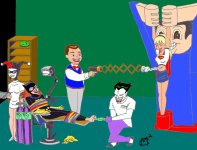
Batgirl & Supergirl tickled!

FeatherJedi

3rd Level Red Feather
Joined
Apr 30, 2001
Messages
1,597
Points
38
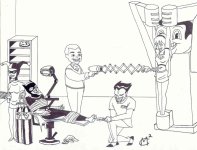
i hope this looks good to you guys. The pen lines scanned so that they interfered with a lot of the filling...>_< *is kind of ashamed*

if anyone's willing to help fix it up, let me know
 

Attachments

  • batgirl supergirl tk (colored).jpg
    batgirl supergirl tk (colored).jpg
    922 KB · Views: 2,218
Last edited:
lol, that's the Toyman. the other is just sumthing to restrain Supergirl in. and they SHOULD be disturbing! MWAHAHAHAHAHAHAHAHA!
 
Whao, that's really cool! I mean I think this is your best yet 😀 .
 
lol, thanks, Kimiko, but like i said, i'm not to happy with the coloring's reaction to the scan >_<
 
tis a shame really. It'd work really well in photoshop. If it's any help I've got a suggestion if you are doing this in paint though.
Try going over the lines with either the brush tool or the curved line tool. Then save the file as a monochrome bitmap. That will make it so that there is only black and white on the picture, so you wont get all those grey pixels around the lines. hope that helps 🙂
 
It won't let me view it! :grind_tee

Edit... nvm...
 
Last edited:
Really? I can give you a few pointers for photoshop if you like 🙂 .
 
EmSeeSquared said:
i hope this looks good to you guys. The pen lines scanned so that they interfered with a lot of the filling...>_< *is kind of ashamed*

if anyone's willing to help fix it up, let me know

cool, now if you could Draw Wonder Woman, Hawkgirl, and Lois Lane, i would be straight.
 
@LK- I could use the tips also.

Anyhow, now that I can view it, it turned out great.The reactions are great and you captured the style perfect. You even added Harley, so you win automatically! XD

If there was one bit of constructive criticism I could give, it's that batgirl's feet are too small in proportion to her body. They are well done though, and this whole thing turned out great. I like the composition of it too.
 
darthvader05: actually, i'm thinking of doing a Lois Lane story to go with Superman Returns, cuz she gets captured by Luthor in the film. That Kate Bosworth is FINE. And the animated Lois is pretty hot too 😀

Kimiko: i'd LOVE some photoshop pointers. the scary thing is that i put so much hours into coloring it as it is now, and if it turns out i gotta color it all over again...>_<
 
Umojar said:
@LK- I could use the tips also.

Anyhow, now that I can view it, it turned out great.The reactions are great and you captured the style perfect. You even added Harley, so you win automatically! XD

If there was one bit of constructive criticism I could give, it's that batgirl's feet are too small in proportion to her body. They are well done though, and this whole thing turned out great. I like the composition of it too.

Bruce Timm draws tiny feet. Just look at Harley's XD
 
Coolies. Well here's the best set of tips I can give you then ^_^ .

When you scan the picture in, adjust the contrast to start with so that the outline is quite dark.
When you load the picture up in photoshop, open a new layer, and call this layer "outline". Now cut everything away from the background layer (Ctrl+A and ctrl+x). Paste the picture you just cut onto the outline layer.
Now you will notice, on the toolbar in the bottom right, there are 3 tabs, "layers", "channels" and "paths". Click on the "Channels" tab. At the bottom of the box now, there are a set of 4 buttons. The first one, a hollow circle, is the "load channel as selection" button. Basically, this will select every bit of white on the current layer.
If you click on this button, pressing delete will delete all of the blank areas on your picture.
You may notice that the lines become very faint. To correct this, click on the layers tab at the top of the box again. You will see just below the tab, there is a series of buttons, that come after the word "lock". Selecting the Chess board type button will lock all the transparent pixels on the layer. At this point you can get a paint brush and paint black over the picture to restore the darkness of the outline without damaging it at all.

Let me know if any of this helps you out, or if I've been unclear at any point in there. If that goes to plan, I can show you how to do some neat colouring next 🙂 .
 
O_O woa. that's a lot of stuff to do! it also means i gotta start over! >_<
 
Aww 🙁 . Well, do you have the original scan? And if so, would I be able to take a crack at it?
 
lonelykimiko said:
Aww 🙁 . Well, do you have the original scan? And if so, would I be able to take a crack at it?

*hugs Kimokio* i'd LOVE you to take a crack at it! that's so generous! ty! here's the original
 

Attachments

  • batgirl supergirl tk.jpg
    batgirl supergirl tk.jpg
    150.3 KB · Views: 133
thank you so much! and could you use the eyedropper to use the same exact colors?
 
What's New
1/24/26
Visit Door 44 for a great selection of tickling clips of many types!

Door 44
Live Camgirls!
Live Camgirls
Streaming Videos
Pic of the Week
Pic of the Week
Congratulations to
*** brad1701 ***
The winner of our weekly Trivia, held every Sunday night at 11PM EST in our Chat Room
Top